
Good evening, today I decided to share a few of the bash functions I use in my shell scripts. I explain what each one does. These are tiny functions, easy to understand and modify if needed. You can also download the complete file of functions from the contributions page.
scpcopy: This bash function copies files over SCP and supports a non-standard SSH port:
function scpcopy()

{

	host_ip="$1"

	scpuser="$2"

	scp_port="$3"

	file2cp="$4"

	dir2cp="$5"

	scp -oPort="$scp_port" "$file2cp" "$scpuser"@"$host_ip":"$dir2cp"

}
remotereplace: This bash function performs a replacement with sed over SSH, with support for a non-standard SSH port:
function remotereplace()

{

	host_ip="$1"

	filetomodify="$2"

	remoteport="$3"

	src="$4"

	dst="$5"

	ssh -l root -p "$remoteport" "$host_ip" "sed -i \"s#$src#$dst#g\" $filetomodify"

}
remoteexec: This bash function executes a remote command over SSH and supports a non-standard SSH port.
function remoteexec()

{

	host_ip="$1"

	remoteport="$2"

	command2exec="$3"

	ssh -l root -p "$remoteport" "$host_ip" "$command2exec"

}
keygen: This bash function simply generates an SSH key pair remotely for the root account, with support for a non-standard SSH port.
function keygen()

{

	host_ip="$1"

	ssh -l root -p "$ssh_port" "$host_ip" "ssh-keygen -t rsa -f /root/.ssh/id_rsa -q -P \"\""

}
renhost: This bash function renames a Linux host (works on Debian Stretch)
function renhost()

{

  echo -e "${YELLOW} [WARNING]" "${NC} Hostname doesn't match the actual server host, changing server hostname in progress..."

  oldhost=$(grep "$ip" /etc/hosts)

  newhost="$ip $sxhostcode $hostcode"

  $replacer $repoptions "s#$oldhost#$newhost#" /etc/hosts

  $replacer $repoptions "s#$HOSTNAME#$hostcode#" /etc/hostname

  $replacer $repoptions "s#root@$HOSTNAME#root@$hostcode#" /etc/ssh/*.pub

  hostname "$hostcode"

  hostnamectl set-hostname "$hostcode"

}
checkip: This bash function checks that a variable contains an IP address.
function checkip()

{

if [[ "$1" =~ (([01]{,1}[0-9]{1,2}|2[0-4][0-9]|25[0-5])\.([01]{,1}[0-9]{1,2}|2[0-4][0-9]|25[0-5])\.([01]{,1}[0-9]{1,2}|2[0-4][0-9]|25[0-5])\.([01]{,1}[0-9]{1,2}|2[0-4][0-9]|25[0-5]))$ ]];

  then

        echo -e "${GREEN} [ OK ]" "${NC} IP address $1 is ok, install in progress..."

  else

        echo -e "${RED} [ ERROR ]" "${NC}  $1 is not an IP address"

        exit 0

fi

}
checkfqdn: This bash function checks that a variable contains a valid FQDN.
function checkfqdn()

{

result=$(echo "$1" | grep -P '(?=^.{1,254}$)(^(?>(?!\d+\.)[a-zA-Z0-9_\-]{1,63}\.?)+(?:[a-zA-Z]{2,})$)')
if [[ -z "$result" ]]
then
echo -e "${RED} [ ERROR ]" "${NC} $1 is not a valid FQDN"
exit 0
else
echo -e "${GREEN} [ OK ]" "${NC} $1 is a valid FQDN, install in progress..."
fi
}
checkuid: This bash function checks that a UID matches the expected value.
function checkuid()

{

  if [ "$UID" -ne "$1" ]
then
echo -e "${RED} [ ERROR ]" "${NC} you must be root to install the server"
exit 0
else
echo -e "${GREEN} [ OK ]" "${NC} UID ok, install in progress..."
fi
}
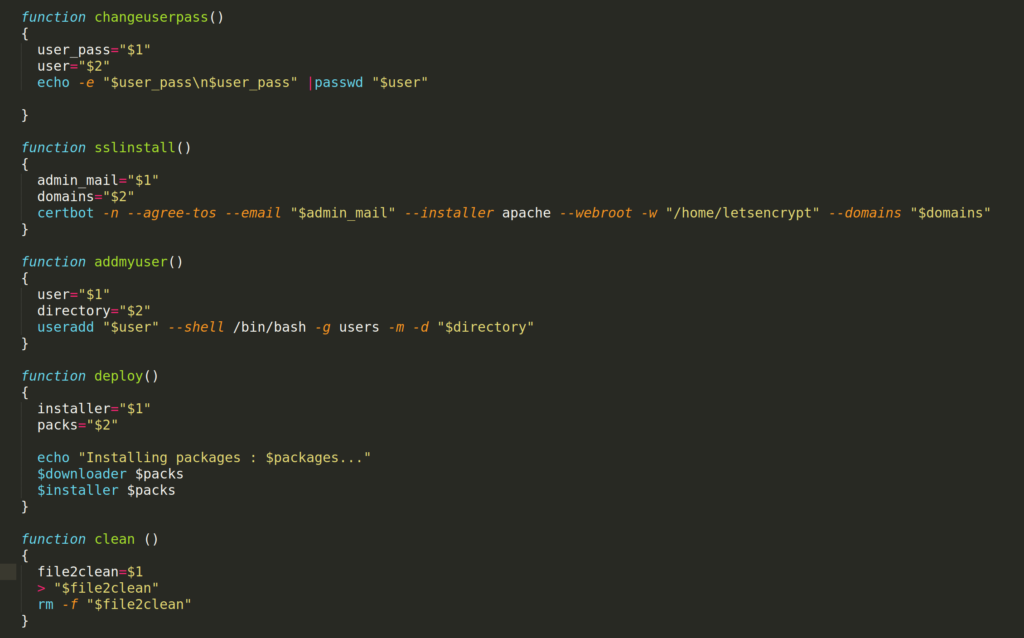
changuserpass: This bash function simply changes a Linux user's password.
function changeuserpass()

{

  user_pass="$1"

  user="$2"

  echo -e "$user_pass\n$user_pass" |passwd "$user"
}
sslinstall: This bash function installs a Let's Encrypt certificate for a vhost. Note: a server-wide alias to /home/letsencrypt avoids problems caused by client configurations such as .htaccess files.
function sslinstall()

{

  admin_mail="$1"

  domains="$2"

  certbot -n --agree-tos --email "$admin_mail" --installer apache --webroot -w "/home/letsencrypt" --domains "$domains"

}
addmyuser: This bash function simply adds a new Linux user.
function addmyuser()

{

  user="$1"

  directory="$2"

  useradd "$user" --shell /bin/bash -g users -m -d "$directory"

}
deploy: this bash function downloads and installs packages using apt.
downloader='apt -y -f --allow-unauthenticated -d install'

installer='apt -y -f --allow-unauthenticated install'
function deploy()
{
installer="$1"
packs="$2"
echo "Installing packages : $packages..."
$downloader $packs
$installer $packs
}
clean: this bash function empties a file, then deletes it
function clean ()

{

  file2clean=$1

  > "$file2clean"

  rm -f "$file2clean"

}
genpass: this bash function generates a random password with the number of characters you specify
function genpass()

{

  charx="$1"

  pwgen -A -B "$charx" 1

}
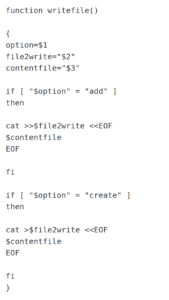
writefile: This bash function writes to a file with 2 options: creating a new file or appending lines to an existing one.
Christophe Casalegno
You can follow me on: Twitter | Facebook | Linkedin | Telegram | Youtube
Leave a comment
Add a comment