
Hello, this little post complements the video I have just posted on this subject, which you can watch below. The bash script, which you can find linked further down, is, like the previous ones, released under the GPL 3 license.
BOAP, short for Brain Ovh API Player, is a bash script that makes it easy to “play” with the OVHCloud API . There are no special dependencies apart from python -mjson.tool, which I use to decode the JSON and which can also be replaced by jq.
The architecture is fairly simple:
1) a file secret.cfg contains the application’s identification and authentication details for the OVHCloud API (formerly OVH). Its format is very simple:
CONSUMER_KEY="xxxxxxxxxxxxxxxxxxxxxxxxxxxxxx"
APP_KEY="xxxxxxxxxxxx"
APP_SECRET="xxxxxxxxxxxxxxxxxxxxxxxxxxxxxxxx"
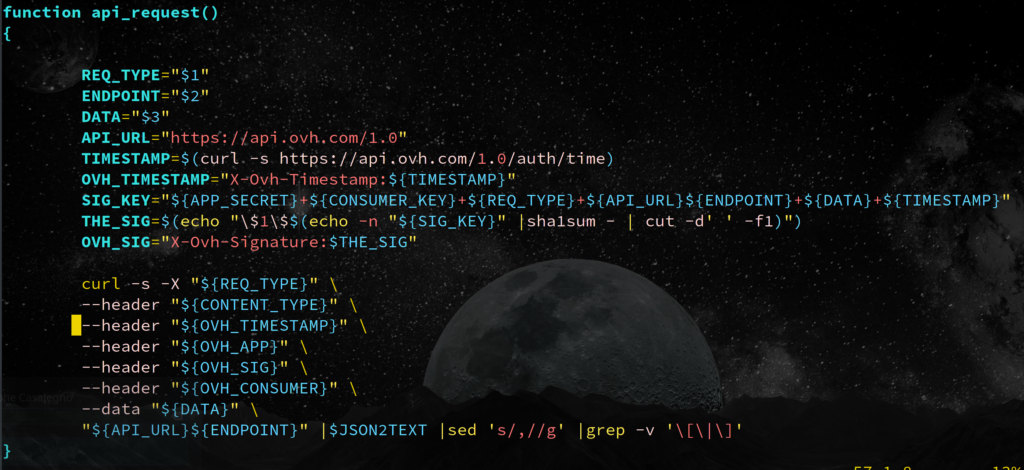
2) api_request is the central function of the script: it sends requests to the OVH API. There is nothing particularly special about this function: it simply calls curl with the right headers. One remark, however: generating the X-Ovh-Signature header took me a few tries, because it combines fixed and dynamic elements, then hashes them with SHA1 to generate a unique key for each request. Even so, I wrote the code to keep it readable and understandable.
3) An answer function (taken from my noughts-and-crosses script / tic-tac-toe in bash) lets me add as many response messages as I want as the script evolves.
4) The output of the script can be fed back into it, so for example a ./boap.sh vrack_list |xargs -l ./boap.sh vrack_info will display all the information about every vrack. Most of the functions I implemented here deliberately use GET (read-only functions). Only the reboot function uses POST to prevent dangerous use of the script by someone who does not fully understand it. Beware of bulk operations. So for example a ./boap.sh servers_list |xargs -l ./boap.sh serveur_NEFAITEPASCACHEZVOUS_reboot will reboot every one of your servers even if there are 5000…
5) Functions such as server_info, nasha_info, lb_farms, and lb_frontends also contain simple for loops that give you good examples you can easily replicate on other endpoints. Ultimately, many requests can be made with a simple api_request « GET/POST » « /endpoint »
6) The billing example contains a filter on the fields url, password, and text. Just remove the corresponding |grep xxxx to get the complete output, including the invoice links.
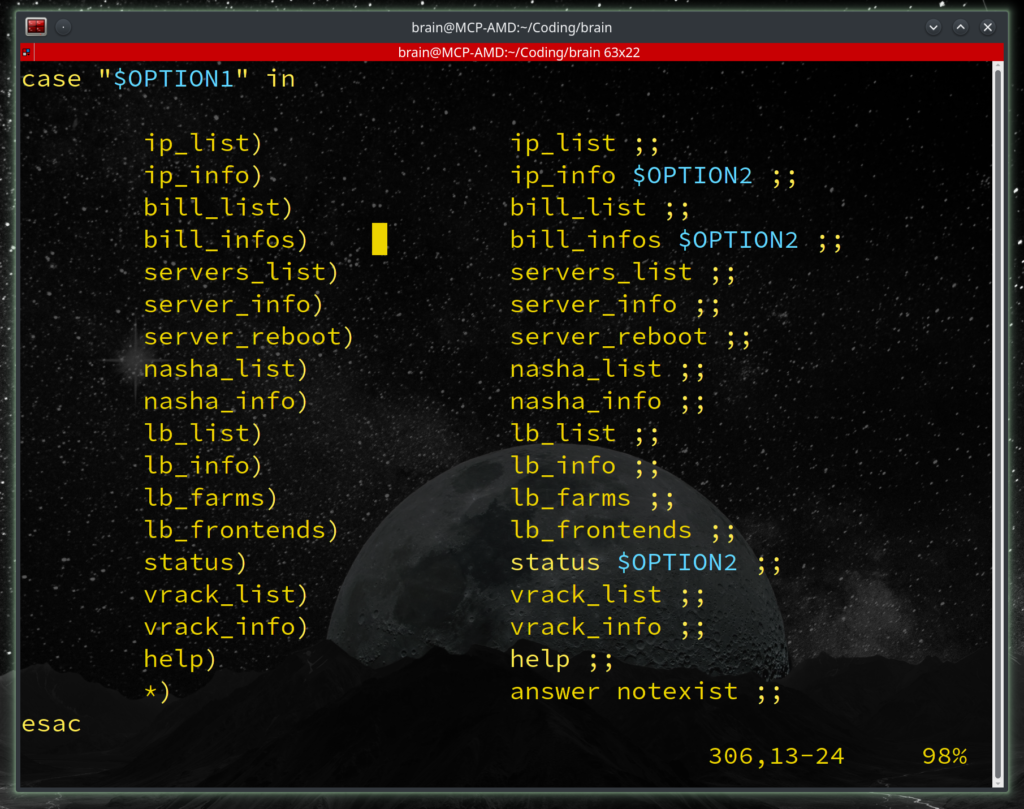
7) A simple case « $OPTION13 in handles all the options at the end of the file; again, removing or adding options is very easy:
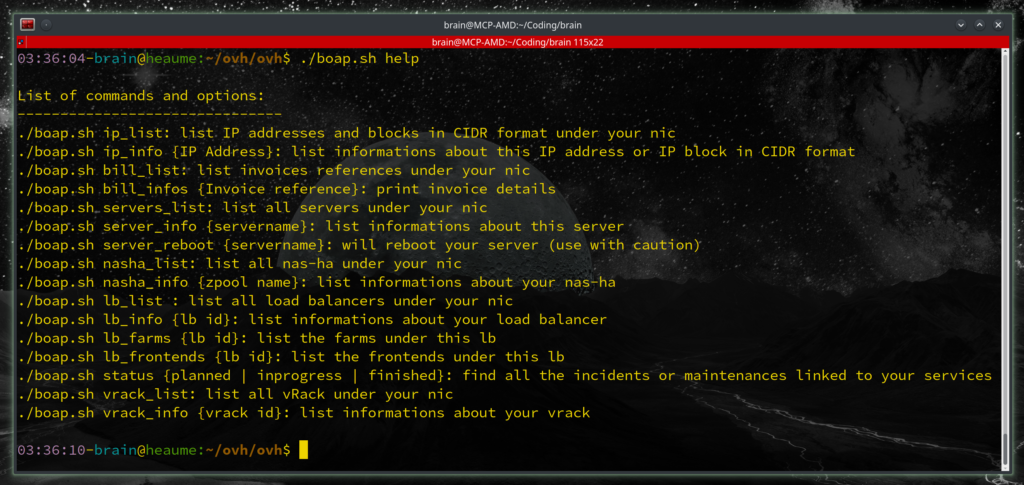
8) The « help » command displays all of the available options (remember to update it if you add options) and if you enter a command that does not exist, you will be prompted to use help. I only did this for the main options, not for secondary options such as “status”, but I may add that.
Feel free to send me your feedback and questions.
You can download the script via the following link: boap.sh
Enjoy!
—
Christophe Casalegno
You can follow me on: Twitter | Facebook | Linkedin | Telegram | Youtube

5 comments