
Christophe CasalegnoAutoimmune warrior, Entrepreneur & Bio/Hacker

brain@127.0.0.1:~$ cat post.html

How to add disk space to a running Linux VM on Proxmox VE

Good evening everyone, in this post I am going to show you how to easily hot-add disk space on your Linux Proxmox VE virtual machine.
 
1) Log in to your Proxmox server’s interface, click the relevant VM, then go to the “hardware” section.
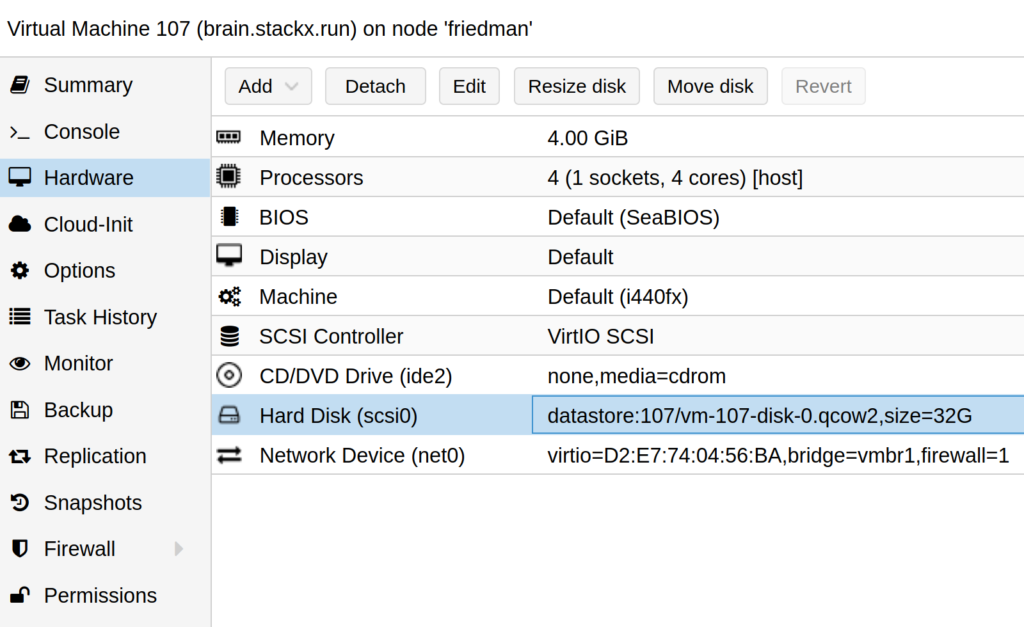
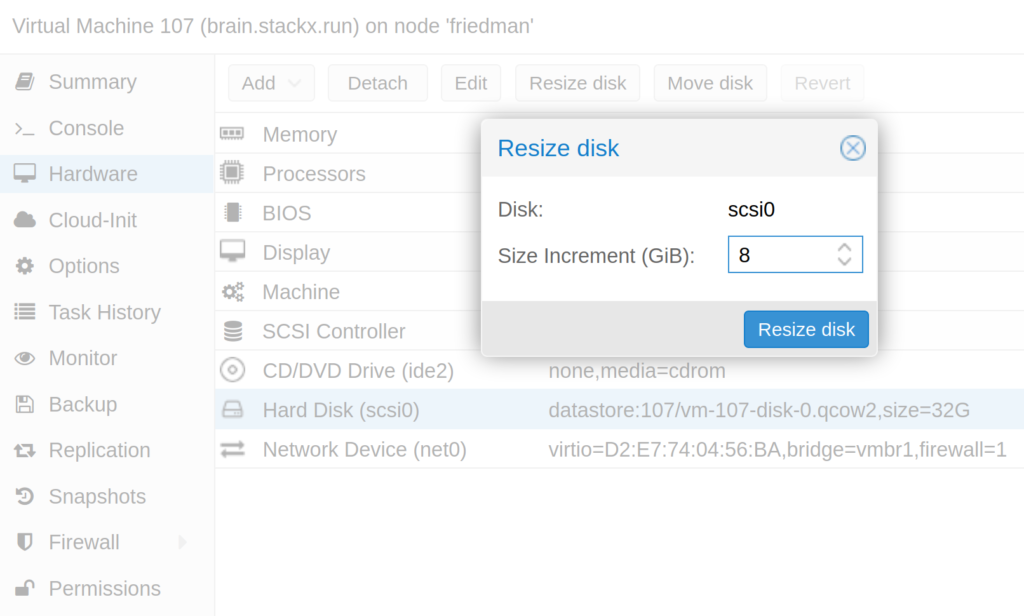
2) Select the disk, choose “resize disk” and add the extra space you need.
 

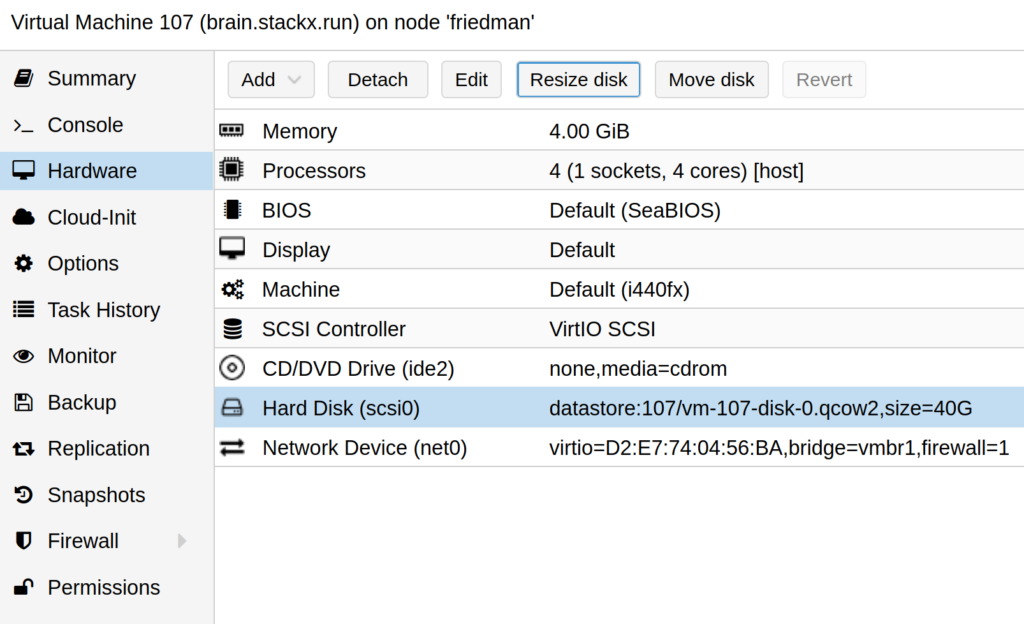
3) Once that is done, you should see the new space (here 40 GB instead of 32G)
 

You can also do this without logging in to the Proxmox interface: connect to the Proxmox server over SSH and run :
qm resize numerodevm scsi0 +8G
 
That is all for the Proxmox side. Now we move on to the Linux VM, which in this example runs Debian Stretch.

1) Install parted
apt install parted

2) Disable swap (unnecessary for a secondary disk)
swapoff -a

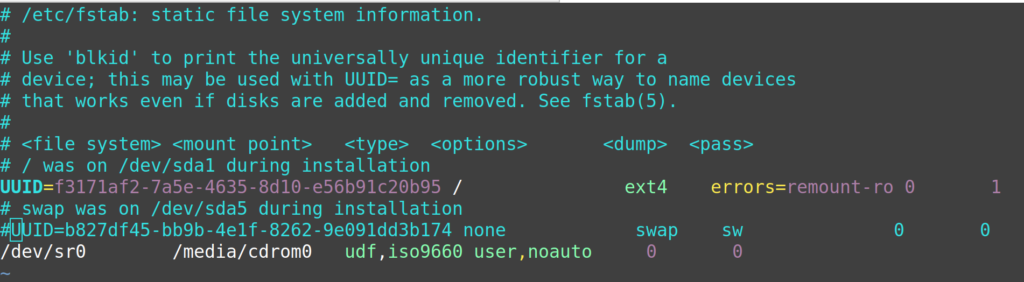
3) Comment out the swap line in the fstab
vim /etc/fstab
4) Identify the disk name with df -h
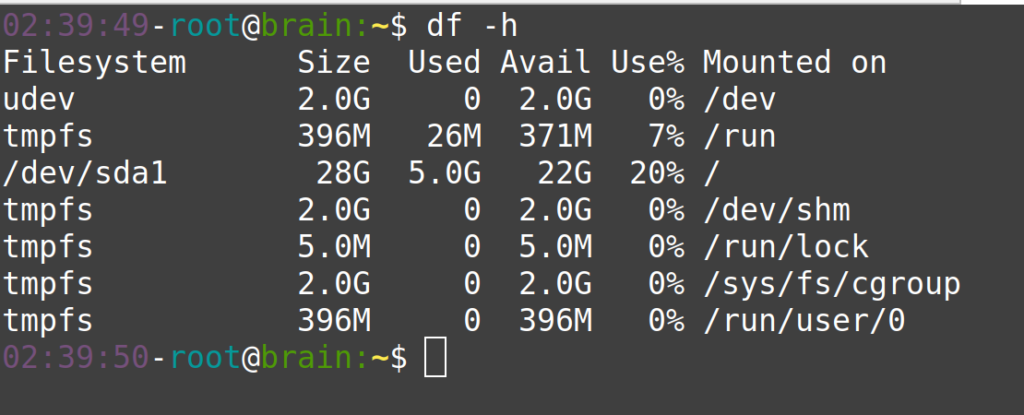
5) Run parted on the disk, then enter these commands
parted /dev/sda
print
rm 5
rm 2
resizepart 1
yes
100%
print
quit
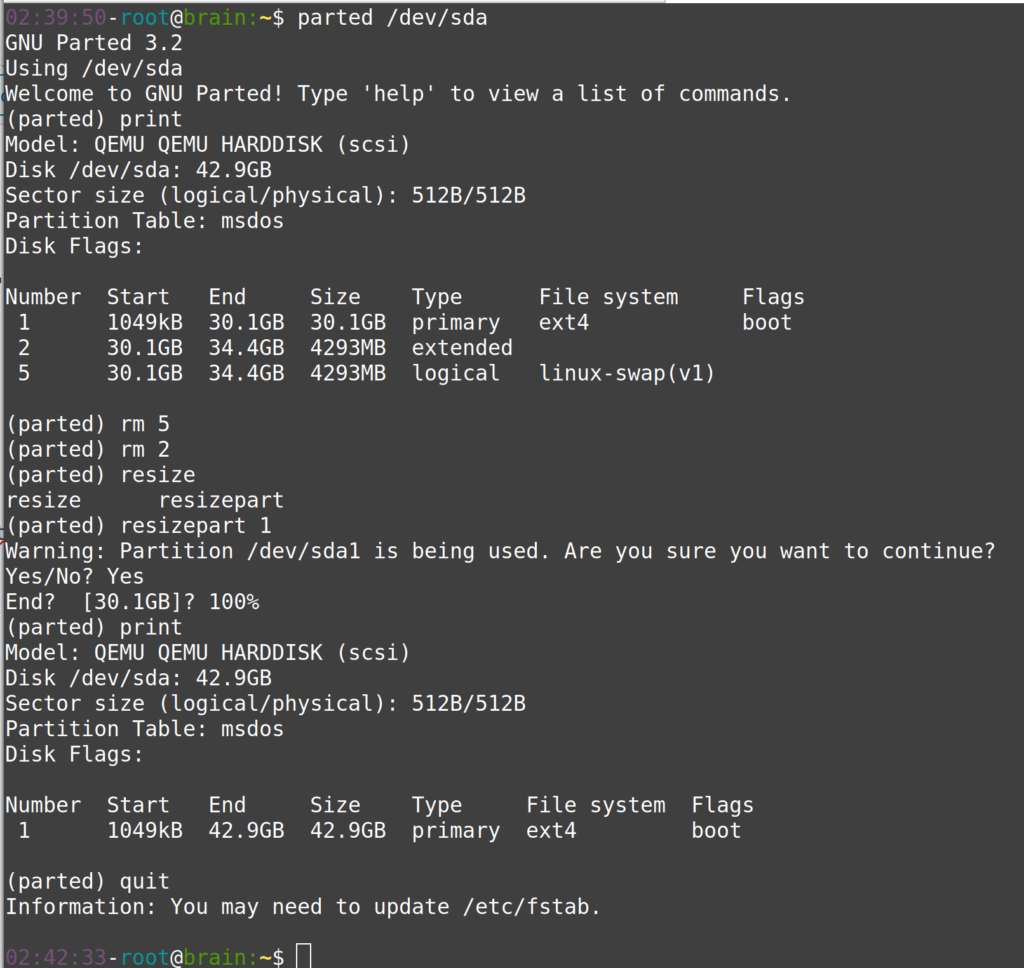
6) Finish with the Linux filesystem
resize2fs /dev/sda1
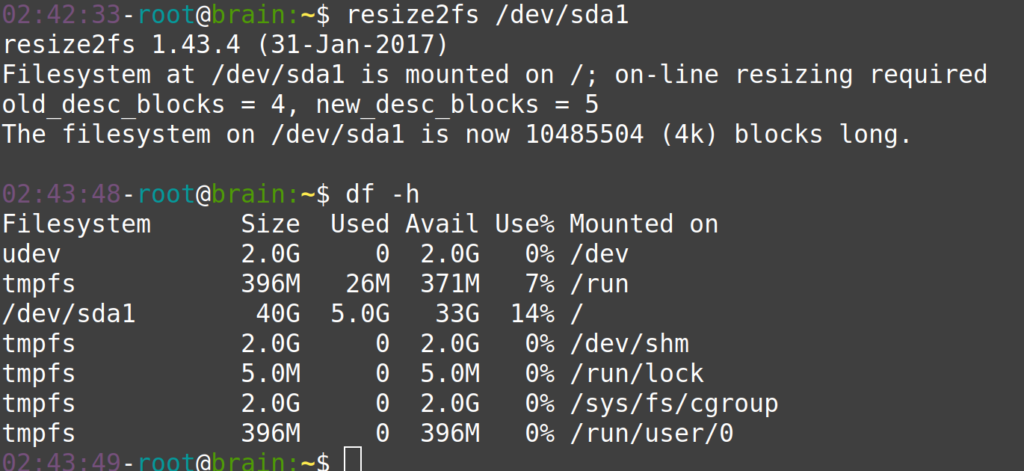
And there you go: the operation is complete and you can use your new disk space, with no downtime.

Video walkthrough:

Watch the video on YouTube

Christophe Casalegno
​You can follow me on: Twitter | Facebook | Linkedin | Telegram | Youtube

2 comments

  1. Bonjour Christophe, Merci pour ce tuto.
    Cependant, je n’arrive pas à augmenter la taille disque sur une VM avec Ubuntu et Node Red.
    Après le resize depuis Proxmox, j’ai ceci :
    (parted) print
    Modèle: QEMU QEMU HARDDISK (scsi)
    Disque /dev/sda : 17,2GB
    Taille des secteurs (logiques/physiques): 512B/512B
    Table de partitions : msdos
    Disk Flags:

    Numéro Début Fin Taille Type Système de fichiers Fanions
    1 1049kB 768MB 767MB primary ext2 démarrage
    2 769MB 10,7GB 9968MB extended
    5 769MB 10,7GB 9968MB logical lvm (gestionnaire de volumes logiques)

    Mais quand je tente de

    J’ai ces partitions dedans :
    root@VM-Node-RED:~# df -h
    Sys. de fichiers Taille Utilisé Dispo Uti% Monté sur
    udev 476M 0 476M 0% /dev
    tmpfs 100M 3,2M 97M 4% /run
    /dev/mapper/VM–Node–RED–vg-root 8,1G 6,6G 1,1G 87% /
    tmpfs 496M 0 496M 0% /dev/shm
    tmpfs 5,0M 0 5,0M 0% /run/lock
    tmpfs 496M 0 496M 0% /sys/fs/cgroup
    /dev/sda1 720M 715M 0 100% /boot
    tmpfs 100M 0 100M 0% /run/user/1000

    et quand je tente les rm 5 et 2, j’ai un message d’erreur :
    Erreur: La (les) partition(s) 5 a (ont) été écrite(s) sur /dev/sda, mais impossible d’informer le système des changements, sans doute à cause de son (leur)
    utilisation. Ainsi, les anciennes partitions restent en usage. Vous devriez redémarrer maintenant avant d’effectuer d’autres changements.
    Ignorer/Ignore/Annuler/Cancel?
    Si j’ignore et que je reboote, le systeme ne démarre plus :
    Gave up waiting for root device (…)
    ALERT! /dev/mapper/VM–Node–RED–vg-root does not exist. Dropping to a shell
    …Et je reste bloqué sur : (inittramfs)
    Je pense que cela est lié à Node-Red, mais je ne sais pas comment faire.
    D’autant que j’ai absolument besoin de redonner de la place sur le /boot car je suis planté pour mettre à jour le systeme par manque de place !

Leave a comment

Add a comment
Christophe Casalegno Brain 0verride

Keep it simple
and direct!