
BOAP (Brain OVH API Player)
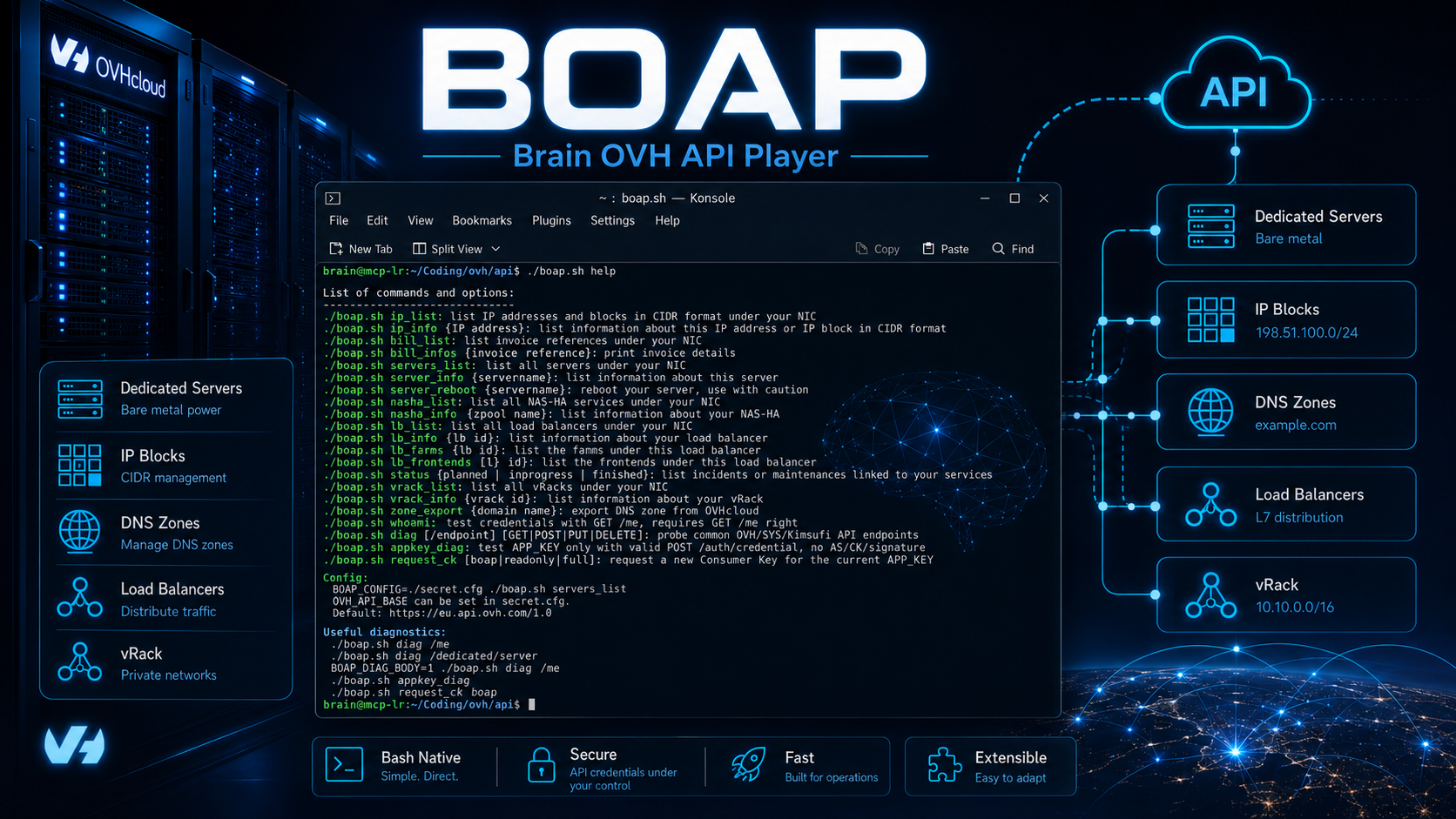
BOAP is a GPL-licensed Bash script designed for quick access to the OVHcloud API from the command line.
It lets you query the main resources in an OVHcloud account without going through the web interface: IPs, dedicated servers, invoices, NAS-HA, Load Balancers, vRack, DNS zones, status tasks, interventions, etc.
BOAP grew out of a simple need: a lightweight, direct, easily modified CLI tool to quickly make frequent calls to the OVHcloud API, without heavy dependencies, without a framework, and without unnecessary abstraction.
The script uses OVHcloud’s historical authentication based on:
– Application Key
– Application Secret
– Consumer Key
– A SHA1 signature that follows the OVHcloud API’s AK/AS/CK mechanism
Main features
IP management:
– List IPs and CIDR blocks associated with the OVHcloud account
– Display information about an IP block
– List reverse DNS records
– List phishing entries
– List anti-hack entries
– List anti-spam entries
– List and details of associated OVHcloud firewall rules
– List and details of anti-DDoS mitigation entries
Dedicated servers:
– List the account’s dedicated servers
– Detailed server information
– List IPs associated with a server
– Service information
– Display the latest OVHcloud interventions
– Reboot a server through the API
Billing:
– List invoices
– Display invoice information
– Filter out sensitive or less useful fields from the output
DNS:
– Export an OVHcloud DNS zone as text
– Convert escaped JSON responses into readable output
NAS-HA:
– List NAS-HA resources
– Detailed NAS-HA information
– List partitions
– Per-partition information
– List access entries
– Service information
IP Load Balancing:
– List Load Balancers
– Detailed information
– Status
– Service information
– List HTTP farms
– List TCP farms
– List HTTP frontends
vRack:
– List vRacks
– General information
– Service information
– List attached dedicated servers
– List attached Public Cloud projects
– List attached Dedicated Cloud resources
– List attached IP Load Balancers
OVHcloud status:
– Scheduled tasks
– Ongoing tasks
– Completed tasks
Technical architecture
BOAP remains deliberately minimal.
It relies only on standard components available on most Linux systems:
– Bash
– curl
– sha1sum
– python for JSON formatting
– Standard Unix tools: cut, sed, grep, head, etc.
Authentication is calculated directly in the script from the following elements:
APP_SECRET + CONSUMER_KEY + METHOD + URL + BODY + TIMESTAMP
The SHA1 hash is then sent in the header:
X-Ovh-Signature
The other headers used are:
X-Ovh-Application
X-Ovh-Consumer
X-Ovh-Timestamp
Content-Type
Configuration is kept separately in a file called secret.cfg, which contains the OVHcloud credentials.
CONSUMER_KEY="xxxxxxxxxxxxxxxxxxxxxxxxxxxxxx"
APP_KEY="xxxxxxxxxxxx"
APP_SECRET="xxxxxxxxxxxxxxxxxxxxxxxxxxxxxxxx"
OVH_API_BASE="https://eu.api.ovh.com/1.0"
Note: secret.cfg must never be published, committed to version control or shared.
Recent fixes
As OVHcloud has changed certain behaviours around its endpoints and API key validation, BOAP has been updated to make diagnostics more robust.
Older versions could hide the actual OVHcloud error, particularly because of an overly aggressive processing pipeline:
python -mjson.tool | sed | grep | cut
When an API error occurred, the output could end up reduced to something like:
{
class
errorCode
httpCode
message
}
This behaviour prevented a clear distinction between:
– Invalid Application Key
– Invalid Consumer Key
– Invalid signature
– Insufficient permissions
– Incorrect API endpoint
Recent versions fix this by now displaying the actual error JSON returned by OVHcloud.
Example:
HTTP 403 GET /dedicated/server
{
  "class": "Client::Forbidden",
  "message": "This call has not been granted",
  "httpCode": "403 Forbidden",
  "errorCode": "NOT_GRANTED_CALL"
}
Built-in diagnostics
BOAP now includes diagnostic commands to quickly isolate authentication problems.
Test only the Application Key:
./boap.sh appkey_diag
This command calls:
POST /auth/credential
using only:
X-Ovh-Application
It therefore does not depend on:
– APP_SECRET
– CONSUMER_KEY
– The signature
– Consumer Key permissions
– An application endpoint such as /dedicated/server
It lets you check whether the Application Key is recognised by the OVHcloud, SoYouStart or Kimsufi endpoints.
Test a signed call:
./boap.sh diag /me
./boap.sh diag /dedicated/server
The command tests several possible endpoints:
https://eu.api.ovh.com/1.0
https://api.ovh.com/1.0
https://eu.api.ovh.com/v1
https://ca.api.ovh.com/1.0
https://api.us.ovhcloud.com/1.0
https://eu.api.soyoustart.com/1.0
https://ca.api.soyoustart.com/1.0
https://eu.api.kimsufi.com/1.0
https://ca.api.kimsufi.com/1.0
Interpretation:
APP_KEY_VALID
The Application Key is valid on this endpoint.
This call has not been granted
The key works and the signature is correct, but the Consumer Key does not have the required permissions.
This application key is invalid
The Application Key is not valid for this endpoint.
Invalid signature
The combination of APP_SECRET / CONSUMER_KEY / method / URL / body / timestamp does not match the expected signature.
Generating a Consumer Key
BOAP can also generate a new Consumer Key with the necessary permissions.
Generate a Consumer Key suited to BOAP:
./boap.sh request_ck boap
The command returns:
– An OVHcloud validation URL
– A pending Consumer Key
You then need to:
1. Ouvrir la validationUrl dans le navigateur.
2. Valider l'autorisation OVHcloud.
3. Copier la nouvelle CONSUMER_KEY dans secret.cfg.
4. Conserver le même APP_KEY et le même APP_SECRET.
Permissions requested by the boap profile:
GET /me
GET /ip
GET /ip/*
GET /me/bill
GET /me/bill/*
GET /dedicated/server
GET /dedicated/server/*
POST /dedicated/server/*/reboot
GET /domain/zone/*
GET /dedicated/nasha
GET /dedicated/nasha/*
GET /ipLoadbalancing
GET /ipLoadbalancing/*
GET /status/task
GET /vrack
GET /vrack/*
Generate a broad read-only Consumer Key:
./boap.sh request_ck readonly
Generate a Consumer Key with full access:
./boap.sh request_ck full
Note: the full mode must be reserved for brief tests. Keeping a Consumer Key with excessively broad permissions for the long term is not recommended, especially if the script allows sensitive actions such as rebooting a server.
Usage
List the account’s IPs:
./boap.sh ip_list
Display information about an IP or CIDR block:
./boap.sh ip_info 1.2.3.4
./boap.sh ip_info 1.2.3.0/24
List invoices:
./boap.sh bill_list
Display invoice information:
./boap.sh bill_infos FR123456789
List dedicated servers:
./boap.sh servers_list
Display server information:
./boap.sh server_info ns123456.ip-1-2-3.eu
Reboot a dedicated server:
./boap.sh server_reboot ns123456.ip-1-2-3.eu
Note: this command must be used with care. It triggers a real action at OVHcloud.
Export a DNS zone:
./boap.sh zone_export example.com
List NAS-HA resources:
./boap.sh nasha_list
Display NAS-HA information:
./boap.sh nasha_info zpool-123456
List Load Balancers:
./boap.sh lb_list
Display Load Balancer information:
./boap.sh lb_info ip-1-2-3.eu
List a Load Balancer’s farms:
./boap.sh lb_farms ip-1-2-3.eu
List a Load Balancer’s frontends:
./boap.sh lb_frontends ip-1-2-3.eu
List scheduled OVHcloud tasks:
./boap.sh status planned
List ongoing OVHcloud tasks:
./boap.sh status inprogress
List completed OVHcloud tasks:
./boap.sh status finished
List vRacks:
./boap.sh vrack_list
Display vRack information:
./boap.sh vrack_info pn-12345
Display help:
./boap.sh help
Configuration example
The secret.cfg file must be placed alongside the script or explicitly selected through the BOAP_CONFIG variable.
CONSUMER_KEY="xxxxxxxxxxxxxxxxxxxxxxxxxxxxxxxx"
APP_KEY="xxxxxxxxxxxxxxxx"
APP_SECRET="xxxxxxxxxxxxxxxxxxxxxxxxxxxxxxxx"
OVH_API_BASE="https://eu.api.ovh.com/1.0"
Use another configuration file:
BOAP_CONFIG="/root/.config/boap/secret-prod.cfg" ./boap.sh servers_list
Temporarily force an endpoint:
OVH_API_BASE="https://eu.api.ovh.com/1.0" ./boap.sh servers_list
Design notes
BOAP is not intended to replace the OVHcloud SDKs or the official CLI. Its purpose is different: to provide a compact Bash tool that is readable, quick to modify and suited to operational use.
The script favours:
– Running directly from a shell
– A simple format
– Minimal configuration
– Explicit API calls
– Readable output
– Minimal reliance on external libraries
– Logic that is easy to audit
It is particularly useful for:
– Quick checks
– Operations scripts
– One-off audits
– Work on dedicated servers
– DNS exports
– IP/vRack/LB/NAS-HA checks
– Troubleshooting OVHcloud API credentials
The philosophy remains the same as for many of my internal tools: little magic, few dependencies, understandable behaviour, and the ability to make quick changes when the situation on the ground demands it.
Security
secret.cfg contains sensitive secrets.
You must therefore:
– Never publish it
– Never commit it to a public repository
– Restrict its permissions
– Use Consumer Keys with appropriate permissions
– Immediately revoke any exposed key
– Avoid global permissions except for a temporary test
Recommended permissions:
chmod 700 boap.sh
chmod 600 secret.cfg
If a key has been copied into a shared terminal, a ticket, a paste, a log or a conversation, it must be considered compromised.
Todo list
– Add an OAuth2/service account mode for new OVHcloud use cases.
– Add an optional raw JSON output format.
– Add a more readable table mode for certain commands.
– Add a –raw option to disable all post-processing.
– Add a more detailed –debug option without leaking secrets.
– Add cleaner handling of network errors and timeouts.
– Add subcommands to create/modify certain DNS records.
– Add dedicated commands for OVHcloud firewall rules.
– Add dedicated commands for anti-DDoS mitigation.
– Add a batch mode to make multiple API calls from a file.
Resources
Script: boap.sh
—
Christophe Casalegno (find all my social networks at: all.bo)